Browse all 86 current modules. Search by name or filter by the same categories used inside the F9 menu.
86 modules
No modules match that search.
ONE AMETHYST BOT
Support, licensing, moderation and voice — connected.
Amethyst Support includes private tickets with DM transcripts, role-aware commands, license and HWID tools, giveaways, moderation and automatic temporary voice channels.
Purchase access, redeem your key online and link the PC that will run Amethyst Menu.
AM
MINECRAFT UTILITY MENU
Choose your access
ONE TRUSTED PC
Every plan includes the current Amethyst Menu build, automatic update checks, the customer dashboard and Discord support.
Loading license options…
One PC
Each license binds to the first verified computer.
Private account
Your password is securely hashed and never shown to the owner.
Human support
HWID resets and account help are handled through Discord tickets.
SYSTEM STATUS
Everything important. Visible at a glance.
Live checks for the customer portal and licensing services.
CURRENT STATUS
Checking services…
Customer website
Main website and account dashboard
Checking
License API
Registration, sign-in and license validation
Checking
Database
Accounts, licenses, orders and bot state
Checking
Protected downloads
Launcher and verified menu delivery
Checking
Discord support bot
Tickets, license alerts and temporary voice
Checking
COMPATIBILITY
Known-good versions.
Check the supported Minecraft, Fabric Loader, Fabric API and Amethyst Menu combinations before updating.
Loading compatibility matrix…
INSTALLATION & SUPPORT
Start clean. Stay up to date.
Install the launcher first, link one trusted PC and let the signed updater verify every menu build.
INSTALLATION
Four steps to the F9 menu
01
Create an Amethyst account
Redeem your license key on the registration page.
02
Download and extract the launcher
Keep the whole launcher folder together; do not run it from inside the ZIP.
03
Sign in and install
Select your Minecraft instance. The launcher verifies the signed update manifest and file hash before replacing the mod.
04
Start Minecraft
Sign in when prompted, join a world and press F9. Your account must have an active lease.
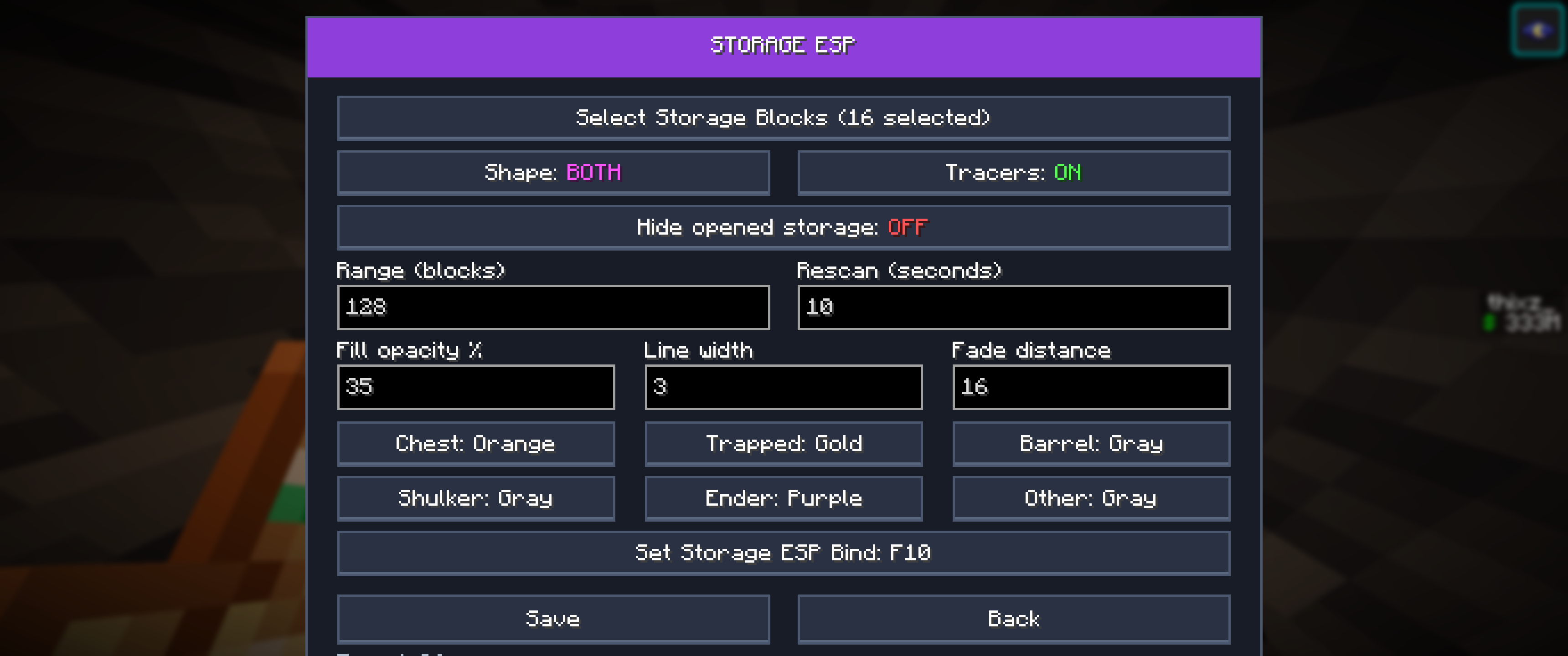
The F9 control center. Use search or a category, left-click to toggle and right-click for settings.
COMMON PROBLEMS
Quick fixes
F9 shows License Expired
Check the expiry date in your dashboard, renew if needed and sign in again. Revoked or very old versions are blocked too.
The menu download is locked
Open the launcher and sign in on the PC you want to bind. Refresh the dashboard afterward.
I changed computer
Use the sign-out option on your account, then open an HWID Reset ticket if the hardware binding must be cleared.
An update does not start
Keep the launcher folder writable. Use its rollback option if the newest verified build cannot start, then contact support.
STILL STUCK?
Open a private ticket
The support bot sends a transcript to your DMs when the ticket closes. Never send your account password.
CHANGELOG
What changed. Version by version.
Latest
Latest release
Loading release notes…
PRIVACY
Your data. Used with restraint.
Privacy policy
Amethyst stores the account data needed to provide access: username, a securely hashed password, license and order references, license status, linked Discord ID when you choose to link it, a hashed device identity, session records, last login information and security events.
Why this data is used
It is used to authenticate your account, enforce one-PC licensing, deliver updates, provide support, prevent abuse, process purchases and meet legal accounting duties. Raw passwords are never stored. Security logs should not contain session tokens.
Sharing and retention
Payment details are handled by the configured payment provider; Amethyst stores references and payment status, not card or bank credentials. Data is retained only while needed for the service, security, support or legal obligations. Contact support to request access, correction or deletion where applicable.
Contact
Use the Discord support ticket button for privacy questions. Add the business identity, address and privacy contact before public launch.
TERMS
Clear access rules. No hidden promises.
Terms and digital delivery
A license grants one customer account access on one linked PC for the selected period. Sharing credentials, keys, builds or attempts to bypass licensing can lead to suspension or revocation. Lifetime means the supported lifetime of this product, not an unlimited guarantee that every external game or server remains compatible.
Withdrawal and refunds
For immediate digital delivery, checkout asks for explicit consent to start delivery and acknowledgement that the statutory withdrawal right may be lost once delivery begins. This does not remove mandatory rights when the product is faulty or not supplied as agreed. Refund requests are assessed under applicable consumer law; do not publish a blanket “no refunds” promise.
Updates and availability
Security updates may raise the minimum allowed version. Individual broken modules may be remotely disabled while the rest stays available. Planned maintenance will be shown on the website and in the launcher where possible.
Before launch
Add the legal business name, Chamber of Commerce details, address, VAT details and contact information, and have these terms reviewed for the countries in which the product is sold.
ORDER
Your purchase. Verified server-side.
Keep this page open while the payment is being confirmed.
 AMETHYST MENUF9● ● ●